AUTONOMOUS RAISE INSPECTIONFIELD-READY DIGITAL INSPECTION

RAISE AVAILABILITY BRIEFING 01

MRC Rail Runner — Alimak Raise Inspection

Save Hours on Every Raise Inspection Cycle.

One Rail Runner deployment can capture the face, inspect the rail, map the raise in 3D and collect gas readings—turning multiple inspection and survey requirements into one repeatable rail-mounted workflow.

The objective is simple:Deploy in under two minutes, travel autonomously through the raise, and return with visual, spatial and atmospheric information your team can use.
Download Specifications ↓

Your raise. Your inspection cycle. Your numbers.

<2 MIN

Deployment

±5 MM

LiDAR Accuracy

UP TO 5.2M

Points / Second

4 DATA STREAMS

Face · Rail · LiDAR · Gas

Autonomous Inspection on Existing Infrastructure.

SafeSight MRC Rail Runner

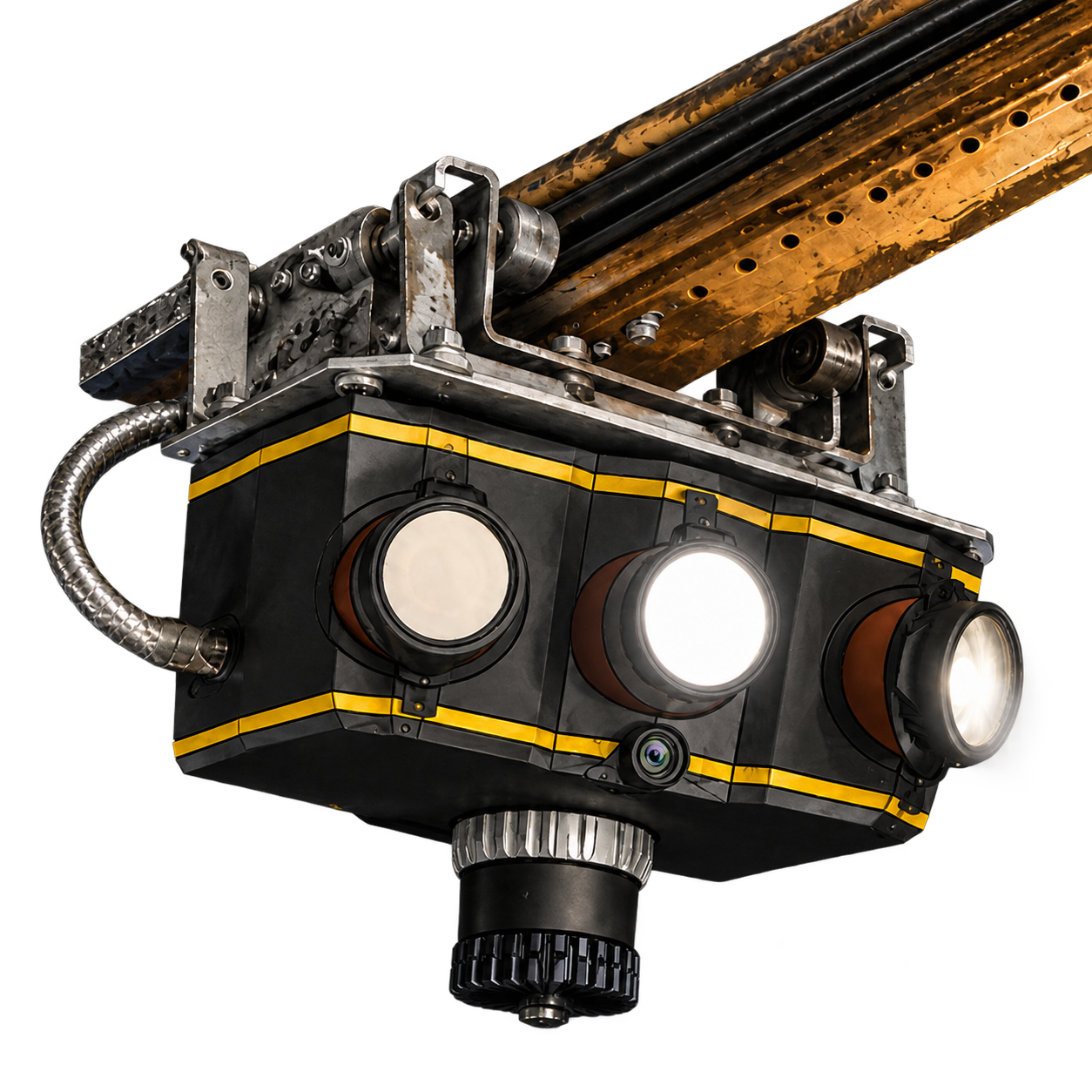
The MRC Rail Runner travels on the existing Alimak guide rail, eliminating the need for independent survey equipment setups.

  • Safe Deployment: Securely attaches to the rail and deploys in under two minutes without personnel entering the unsupported span.
  • Four Data Streams: Captures high-intensity face imagery, full-length HD rail video, ±5 mm accurate LiDAR surveying, and peak atmospheric readings simultaneously.
  • Actionable Information: Returns with digital records for fragmentation review, volume reconciliation, as-built comparisons, and rail integrity assessments.

Estimate Production Time Reclaimed

Enter the number and average length of your Alimak raises. The calculator compares traditional manual inspection at 50 metres per hour with Rail Runner autonomous inspection at 915 metres per hour, then converts the recovered production time into 10-hour mining shifts.

Operational inputs

Traditional manual inspection50 m/h
MRC Rail Runner autonomous inspection915 m/h
Standard mining shift10 h

Where Are Your Raise Hours Going?

The goal is not simply to inspect the raise faster. The goal is to give productive hours back to the development cycle.

Where hours
are consumed
Not a single task. A connected workflow.

Multiple Activities

How many separate activities are required to understand one raise? Visual assessment, rail review, survey work and documentation can consume portions of the development cycle. Rail Runner is designed to gather several inspection datasets during the same deployment.
Survey Downtime

Does survey data require another trip or another crew? The Rail Runner performs a LiDAR survey while travelling the existing rail, creating measurable 3D information without requiring a separate scanner setup inside the raise.

Decision Delay

How long before the people making the next decision see the data? Captured information can be reviewed through the SafeSight workflow rather than existing only as observations made underground.

Repeat Inspections

What happens when the first inspection does not capture everything needed? Digital imagery, LiDAR and a reviewable inspection record can reduce dependence on recollection and provide information that can be revisited after the run.

One Run. Four Data Streams.

FACE

Inspect the Development Face

High-intensity lighting and HD imagery allow teams to review visible face and ground conditions from captured imagery.

High definition face scan
  • Visible ground-condition review
  • Fragmentation review
  • Post-blast visual assessment
  • Development documentation
RAIL

Inspect the Rail From Bottom to Top

Full-length HD video records the installed rail infrastructure.

  • Brackets
  • Anchor bolts
  • Rail connections
  • Rail orientation
  • Installation condition
LiDAR

Survey the Raise During the Same Run

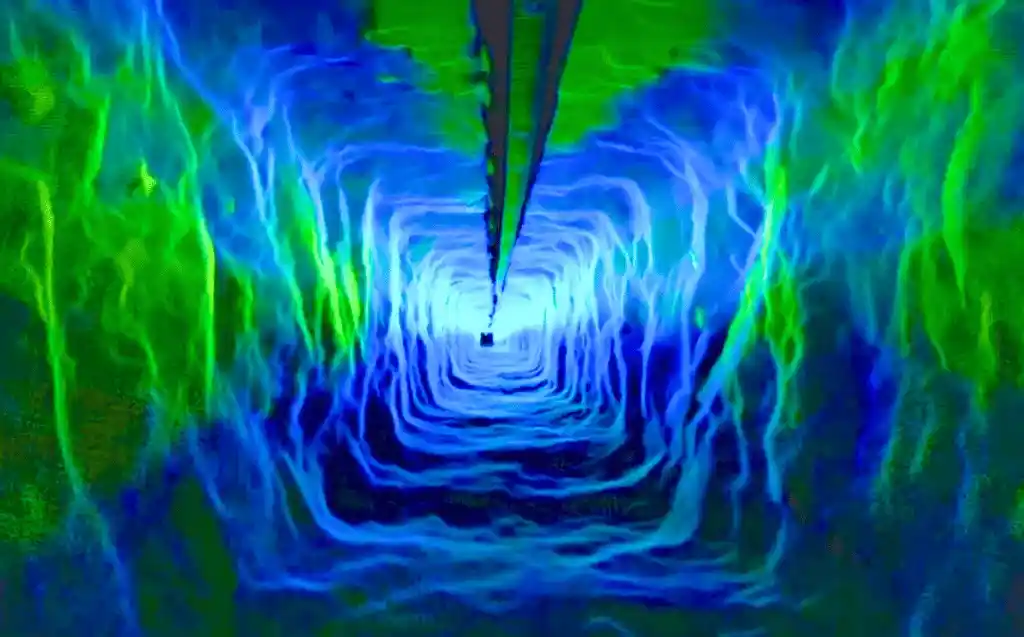
Rail Runner captures high-density 3D LiDAR information along the raise.

  • Raise geometry
  • As-built comparison
  • Overbreak analysis
  • Development progress
  • Volume reconciliation
  • Repeat spatial comparison

The current specification lists ±5 mm accuracy and up to 5.2 million points per second.

GAS

Add Atmospheric Information to the Inspection Record

Rail Runner captures peak readings for O₂, CO₂, H₂S, NO₂, and SO₂ during deployment.

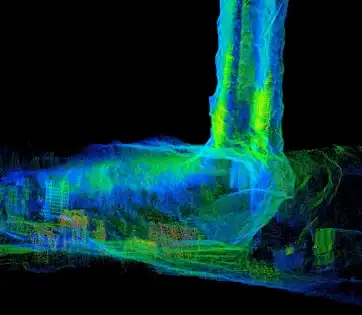
Raise scan visualization

Use gas information as an additional operational dataset, not as a replacement for required mine atmospheric testing or site re-entry procedures.

What Changes in the Inspection Workflow?

Typical Multi-Step WorkflowRail Runner Workflow
Visual raise assessmentHD visual capture during Rail Runner deployment
Rail condition reviewFull-length rail video
Survey / geometry captureLiDAR captured during same run
Face imageryCaptured at the face
Additional atmospheric informationGas peaks recorded during deployment
Multiple records or observationsConnected digital inspection dataset
Information gathered in separate activitiesMultiple datasets collected from one platform
Repeat visits may be required for additional informationDigital record remains available for review

Fewer separate data-collection steps. More productive hours available for the raise.

Do not claim Rail Runner eliminates every manual procedure at every mine. The site's SOPs, required qualified inspections and regulatory activities remain site-specific.

Mount. Run. Review. Move Forward.

01

Mount

Rail Runner securely attaches to the existing Alimak rail. Current specification: deployment in under two minutes.

02

Run

The system travels autonomously along the existing rail and returns to its point of origin. The physical rail provides a predictable path through vertical or inclined raise infrastructure.

03

Capture

During the deployment Rail Runner collects: Rail + Face + LiDAR + Gas

04

Review

Use the SafeSight App to review progress and captured information. Live Render allows the operator to confirm point-cloud coverage as the data is captured.

05

Decide

Move the captured information into planning, engineering, survey and development workflows.

Rail Runner Is Designed Around the Raise Cycle

Before Rail Runner
Prepare
Access
Inspect
Survey
Document
Process
Review
Decide
With Rail Runner
Mount
Run
Capture Multiple Datasets
Review
Decide

One Rail Runner. Multiple Raise Decisions.

Development Progress

Understand how the raise is advancing and compare actual geometry against design.

Rail Condition

Review brackets, bolts and visible rail installation condition.

Post-Blast Assessment

Collect face imagery, LiDAR information and gas readings following development activity.

Overbreak & Geometry

Use 3D data to understand actual raise shape.

Volume Reconciliation

Compare as-built raise volume against design information.

Repeat Inspection

Use the same existing Alimak rail as a repeatable path for future data capture.

The Rail Is Already There. Turn It Into a Data Path.

The Alimak rail already creates a defined route through the raise. Rail Runner uses that infrastructure to support:

  • Repeatable Travel: The platform follows the installed rail.
  • Predictable Data Capture: The sensor platform moves through a defined route.
  • Vertical and Inclined Raises: The system is purpose-built around Alimak rail environments.
  • Repeat Inspections: Future runs can follow the same physical path.
  • No Independent Flight Navigation: Rail Runner does not need to free-fly through the raise to perform its primary mission.
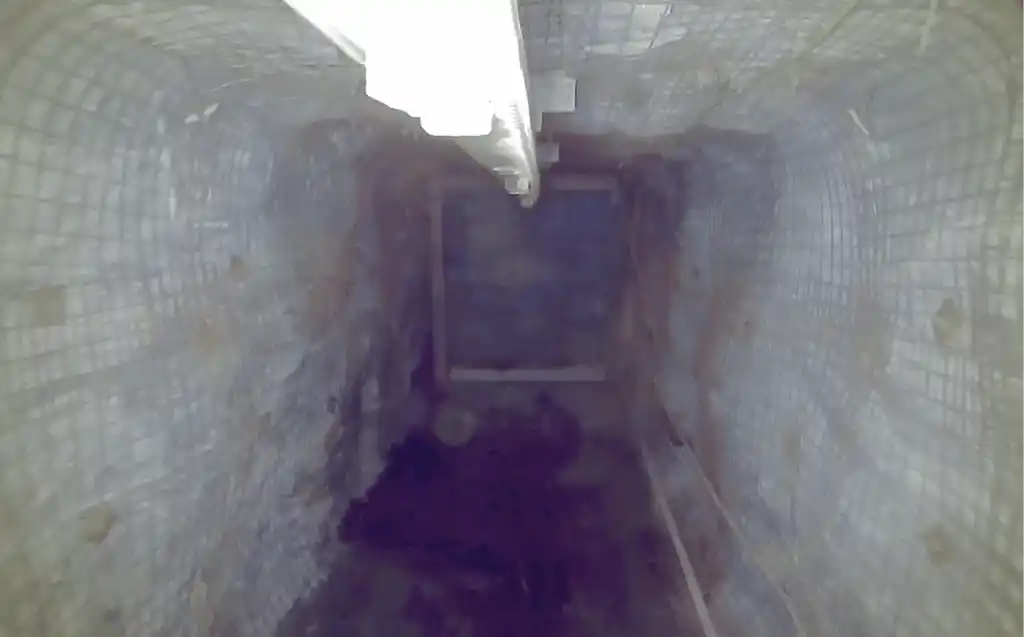
Rail Runner inspection view inside a raise

Know You Captured the Raise Before the Run Is Over

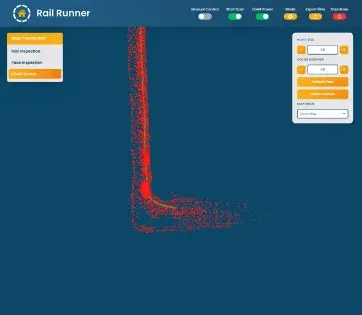
SafeSight App Live Render showing real-time point cloud coverage

One of the biggest sources of wasted survey time is discovering afterward that important information was missed.

SafeSight's Live Render workflow gives operators real-time visibility into the developing point cloud so coverage can be checked while the Rail Runner is operating.

Don't Stop at the Scan

Rail Runner

Capture

→

Control App

Verify

→

Eclipsed

Process

→

NimbVault

Manage & Visualize

→

Mine Planning

Use

More Than an Inspection Trip

HD Rail Video

A reviewable visual record along the rail.

Face Imagery

High-resolution images for visible face-condition review.

3D Point Cloud

A measurable spatial representation of the raise.

Gas Peak Readings

Recorded atmospheric readings captured during deployment.

Technical Specifications

Inspection CapabilitiesFace Imagery, Rail Video, 3D LiDAR, Gas Readings
Deployment MethodExisting Alimak guide rail
Deployment Time< 2 minutes
LiDAR Accuracy±5 mm
LiDAR Capture RateUp to 5.2M points per second
Atmospheric MonitoringPeak readings (O₂, CO₂, H₂S, NO₂, SO₂)
Export FormatsPCD, PTS, LAS, MP4
Software CompatibilityDeswik, Vulcan, Surpac, MinePlan 3D, Leapfrog Geo, Micromine, AutoCAD, ArcGIS, SolidWorks

Frequently Asked Questions

What is MRC Rail Runner?

MRC Rail Runner is an autonomous rail-mounted inspection and 3D scanning platform built specifically for Alimak rail environments. It captures HD visual information, LiDAR data and gas readings while travelling along the existing rail.

What can Rail Runner inspect?

Rail Runner supports rail inspection using full-length HD video, face inspection using HD imagery and lighting, and LiDAR surveying of the raise. It also records five gas peak readings during deployment.

How can Rail Runner save time?

Rail Runner is designed to gather several types of raise information during a single rail-mounted deployment. The exact time opportunity depends on the mine's existing inspection, survey, processing and decision workflow. Use the calculator above with your own site inputs.

How quickly can Rail Runner be deployed?

The current specification states that Rail Runner can securely attach to the Alimak rail and deploy in under two minutes.

Does Rail Runner use the existing Alimak rail?

Yes. Rail Runner is purpose-built to travel on the existing Alimak rail. Site compatibility should be confirmed before deployment.

What is the LiDAR accuracy?

The current SafeSight Rail Runner specification lists ±5 mm accuracy.

What gases does Rail Runner measure?

Rail Runner currently records peak readings for O₂, CO₂, H₂S, NO₂ and SO₂.

Can Rail Runner inspect the face?

Yes. High-intensity lighting and HD cameras capture static face imagery for visual review.

Can Rail Runner inspect brackets and bolts?

Rail Runner captures full-length HD rail video intended to support review of visible brackets, bolts and rail installation conditions.

Can Rail Runner perform a 3D survey?

Yes. Its LiDAR system captures 3D raise geometry that can support measurement, volume reconciliation, geometry assessment and engineering workflows.

What file formats are available?

The current specification lists PCD, PTS, LAS and MP4.

Can Rail Runner data work with Deswik?

The current specification lists Deswik among supported mine-planning applications, together with Vulcan, Surpac and MinePlan 3D.

Ready to Learn More?